Did you know that most screen recorders are secretly stealing hours from your life every single week?
Here's what I mean. You hit Record, you do your thing... and then comes the real nightmare.
Choppy exports. Clunky timelines. A final video that looks like it was made by someone's intern on their lunch break.
You wanted to create a professional tutorial, a product demo, a YouTube video — and instead you spent 3 hours editing something that still looks mediocre.
That was me for years.
I've been building YouTube channels since before most people knew what faceless content was. 20+ channels. 6+ billion views.
And for the longest time, screen recording was the ONE part of my workflow that still made me want to throw my laptop out the window.
I tried OBS. Camtasia. Loom. ScreenFlow.
Each one either required a film school degree to use properly, produced output that looked amateurish, or turned a simple 10-minute video into a 3-hour editing project.
Then I found Tella.
And I'll be completely straight with you — this is the first tool that actually covers the entire video workflow — from recording to editing to publishing to analytics — in one place, without making it feel like work.
Fast. Clean. Professional output. AI-powered editing that does the boring work for you.
In this review, I'm breaking down everything: features, pricing, real pros and cons, and whether Tella is actually worth your money in 2026.
👉 Start Free — Get 20% Off Your First 3 Months → (Free plan available, no credit card required. Upgrade anytime and save 20% on your first 3 months.)
What Is Tella?
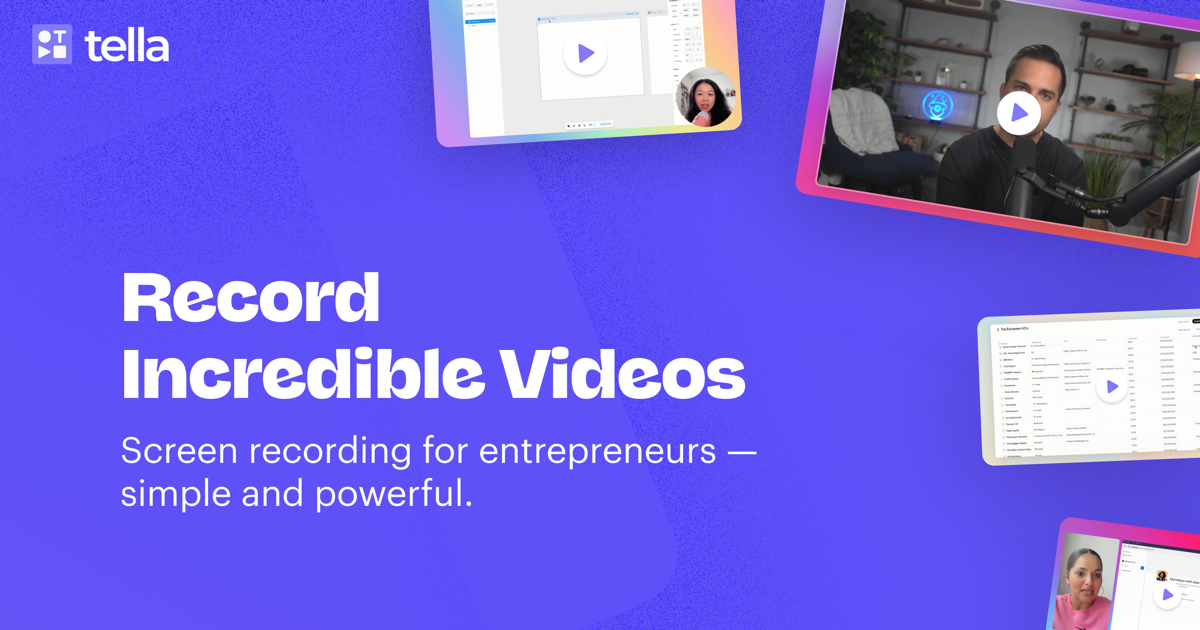
Tella is an all-in-one screen recorder, video editor, hosting platform, and analytics tool — built specifically for creators, educators, and entrepreneurs who need professional-quality videos without a professional editing workflow.
Unlike most tools that stop at recording, Tella covers your entire video workflow in a single place: Record → Edit → Publish & Share → Analyze.
No jumping between apps, no exporting to a separate editor, no friction.
It's primarily used for YouTube tutorials, online courses, product demos, team SOPs, and social media content.
Whether you're recording your screen, your webcam, or both simultaneously — or uploading an external video to edit — Tella handles it, and makes the result look genuinely polished.
Who Created Tella?
Tella was created by Grant Shaddick, who wanted to build a tool that anyone could use to record their screen and share ideas easily — without downloading complicated software.
The company was founded in 2020 and is headquartered in San Francisco. It's been used by teams at major companies including Zapier, ChartHop, and Pleo.
Top Benefits of Tella
One tool replaces your entire video stack — record, edit, host, share, and analyze, all without switching apps
AI does the heavy lifting — silences, filler words, zoom effects, audio enhancement, and layout switching handled automatically
Professional output, zero editing experience needed — beautiful backgrounds, transitions, and layouts built in from day one
Start free, forever — the free plan is real and functional; upgrade only when you're ready
Built for speed at scale — segment recording, instant upload, transcript editing, and auto chapters mean you can produce more content in less time than any other tool I've used
Best Features of Tella
This is why I'm a Tella fan, not just a Tella user. Every single feature solves a real problem. Let me walk you through the ones that actually matter.
Segment-Based (Clip-by-Clip) Recording
This is the feature that changed everything for me.
Tella's clip-based recording system lets you break your content into manageable chunks — reducing recording stress and eliminating the risk of losing work to technical issues.
The reality is: nobody records a perfect 15-minute video in one take. With most tools, one mistake near the end means starting over. With Tella, you just re-record that one segment and move on. It's a small thing that makes an enormous difference when you're producing content at volume.
AI Magic Trim — Auto-Remove Silences & Filler Words
You know those "um... uh... let me just... okay so..." moments that litter every raw recording? Tella's Magic Trim automatically detects and removes awkward pauses and unnecessary filler, leaving you with a cleaner and more polished recording — no extra effort required.
Professional tip: This single feature saves me 2–3 hours per week. If you record any volume of content, this alone justifies the subscription price.
Multi-Layout Views — Change Your Layout Even After Recording
Both Tella and top competitors record your screen and camera as separate tracks — which means you can adjust your video's layout even after you've finished recording, giving you far more control over the final product.
Full screen, picture-in-picture, split screen, webcam only, screen only — switch between them with a few clicks. You can even use multiple different layouts within the same video by assigning different layouts to different segments. This is incredibly powerful for storytelling and keeping viewers engaged.
Auto Zoom — Automatic Focus on What Matters
With Auto Zoom, Tella automatically highlights the most important areas on your screen — whether you're demonstrating a tool or walking viewers through a presentation, it keeps the focus exactly where it matters most.
Previously I did this manually in post. Now Tella does it automatically. Next.
Automated Subtitles
Tella generates automated subtitles for your videos — because a huge percentage of viewers watch videos on mute, and subtitles are no longer optional if you want serious reach.
The subtitles are editable and accurate. They work beautifully for YouTube and course content.
Transitions — Smooth Layout Changes Between Clips
Tella lets you switch between layouts dynamically — side-by-side, picture-in-picture, full screen and more — applied per clip so each segment of your video can look completely different.
This is crazy: you can start a video with full-screen screen share, switch to a face-cam close-up for a key point, then back to split-screen — all in one seamless video. No cuts that look choppy. No jarring jumps. Just clean, professional transitions that make your content look like it had a production team behind it.
Edit by Transcript — Cut Video Like a Document
The transcript era is here — Tella lets you edit your video just like a document, making timeline scrubbing a thing of the past.
Here's how it works: Tella auto-transcribes your video. You read through the text, highlight what you want to cut, and delete it. The video updates instantly. If you can edit a Google Doc, you can edit a video in Tella.
This is why... I now edit 20-minute tutorial videos in under 15 minutes. No more frame-by-frame scrubbing on a timeline.
Remove Filler Words — AI Cuts Every "Um" and "Uh"
You can um and ah all you like — no one will ever know. Tella lets you cut every filler word with just a click.
One click. Every "um," "uh," "like," "you know," and awkward pause — gone. Your raw, unscripted recording sounds like a polished script. I use this on every single video I make.
Audio Enhancement — Studio Sound in One Click
Studio-quality sound in one click. Tella's audio enhancement removes background noise, normalizes levels, and more — without any manual adjustments.
I've used this recording from a coffee shop, from my home office with AC running in the background, even while traveling. One click, and the audio sounds like I'm in a professional studio. No external plugin, no Audition, no Adobe anything.
Blur Sensitive Info — Protect Passwords & Private Data On Screen
Blur out passwords, emails, or anything sensitive with a click — no need to re-record just because something private appeared on screen.
This saves me constantly. You're mid-demo, your email pops up, a password field shows — just click blur, drag the box over it, done. No re-recording. No awkward "sorry ignore that" moments in the video.
Background Music — Built Right Into the Editor
Give your video the ultimate professional feel with a background track. Choose from the Tella library or upload your own — Tella subtly loops it so it always fits the length of your video.
This is one of those features that seems small until you use it. Background music changes the entire feel of a video. It keeps viewers engaged, fills awkward silences, and makes your content feel produced — not just recorded. And it's built in. No need to open GarageBand or hunt royalty-free tracks on YouTube.
Teleprompter — Read Your Script Invisibly
Stay on topic with Tella's invisible teleprompter. No one will know you're reading from a script — it's built right into the recorder.
You might be wondering: does it look obvious? Not at all. I've used this on face-cam segments where I needed to hit specific talking points without forgetting anything. My delivery looks natural. My content stays tight. Zero rambling.
Web Recorder — Record Directly From Your Browser
Tella's web recorder lets you start recording in your browser — no software install required.
This is the feature I use for quick team walkthroughs. Someone asks "how do I do X?" — I open Chrome, hit record, do a 90-second screen share, send the link. Done. No opening the desktop app, no export, no file transfer. Just record and share, all from the browser.
Instant Upload — Your Video Is Ready Before You Even Finish
Your video is uploaded while you record — so when you're done, it's immediately ready to edit or share. No waiting, no processing delays.
I've been spoiled by this. Every other tool I used made me sit and watch a progress bar after recording. With Tella, I hit stop and the video is already there. For someone producing content at scale, this is not a small thing.
Video Upload & External Editing — Not Just For What You Record in Tella
This one is underrated and barely talked about. You don't have to record in Tella to edit with Tella.
I upload Zoom training session recordings from my courses. Tella auto-removes the silences, cleans up the audio, and I drop it straight into my membership site. No Premiere. No Final Cut. No dedicated video editor. The whole thing takes minutes, not hours.
For online course creators, this alone is a reason to subscribe.
Embeddable Video Player — Drop Your Videos Anywhere
Tella's clean and minimal video player looks great embedded on landing pages, docs, communities, and more — and you can restrict playback to specific domains and customize the player's appearance.
I embed Tella videos directly into my membership portal, my Notion workspace, and my course pages. The player is fast, responsive, and looks professional. Viewers can also download the video directly from the share link if you allow it — great for training materials you want team members to keep.
Want to know the best part? You can add CTA buttons directly on the video page. Someone watches your demo, and right there below it is a button that says "Start Free Trial." That's conversion design built into the player itself.
Video Chapters — Auto-Generate YouTube Timestamps in Seconds
Here's one I almost forgot to mention — and it's a genuine time-saver for YouTube creators.
Tella automatically generates chapters for your video. You hit "Generate Chapters," review them, copy the output, and paste it directly into your YouTube description as timestamps. Done.
I've mentioned before how much time gets wasted on small repetitive tasks that add up over a content calendar. Manually scrubbing through a 20-minute video just to write timestamps used to be one of them. With Tella, that step is completely gone. One click, copy, paste. Next.
Multi-Format Export — One Recording, Every Platform
This one matters if you're distributing content across multiple channels — which, if you're building a real online business, you should be.
Right inside the editor, Tella lets you choose your output format before you export:
Landscape — for YouTube
Portrait — for TikTok, Shorts, Instagram Reels
Square — for Instagram feed
Same recording. Different format. Different platform. No re-recording, no cropping in a separate tool, no extra workflow. You record once and Tella handles the rest.
This is why... Tella isn't just a screen recorder anymore. It's a content distribution system built into a single editor.
Video Analytics — Know Exactly Who's Watching and What Lands
Tella includes built-in analytics that show views, watch time, and engagement — so you can see what's working and follow up at exactly the right moment.
This is the feature that separates Tella from being just a recording tool and makes it a business tool. You send a product demo to a prospect. Tella tells you when they watched it, how far they got, and whether they re-watched any section. You follow up at the exact right moment with the exact right context.
For sales, for course creators, for anyone sending video to clients — this is next-level intelligence.
Custom Backgrounds & Brand Styling
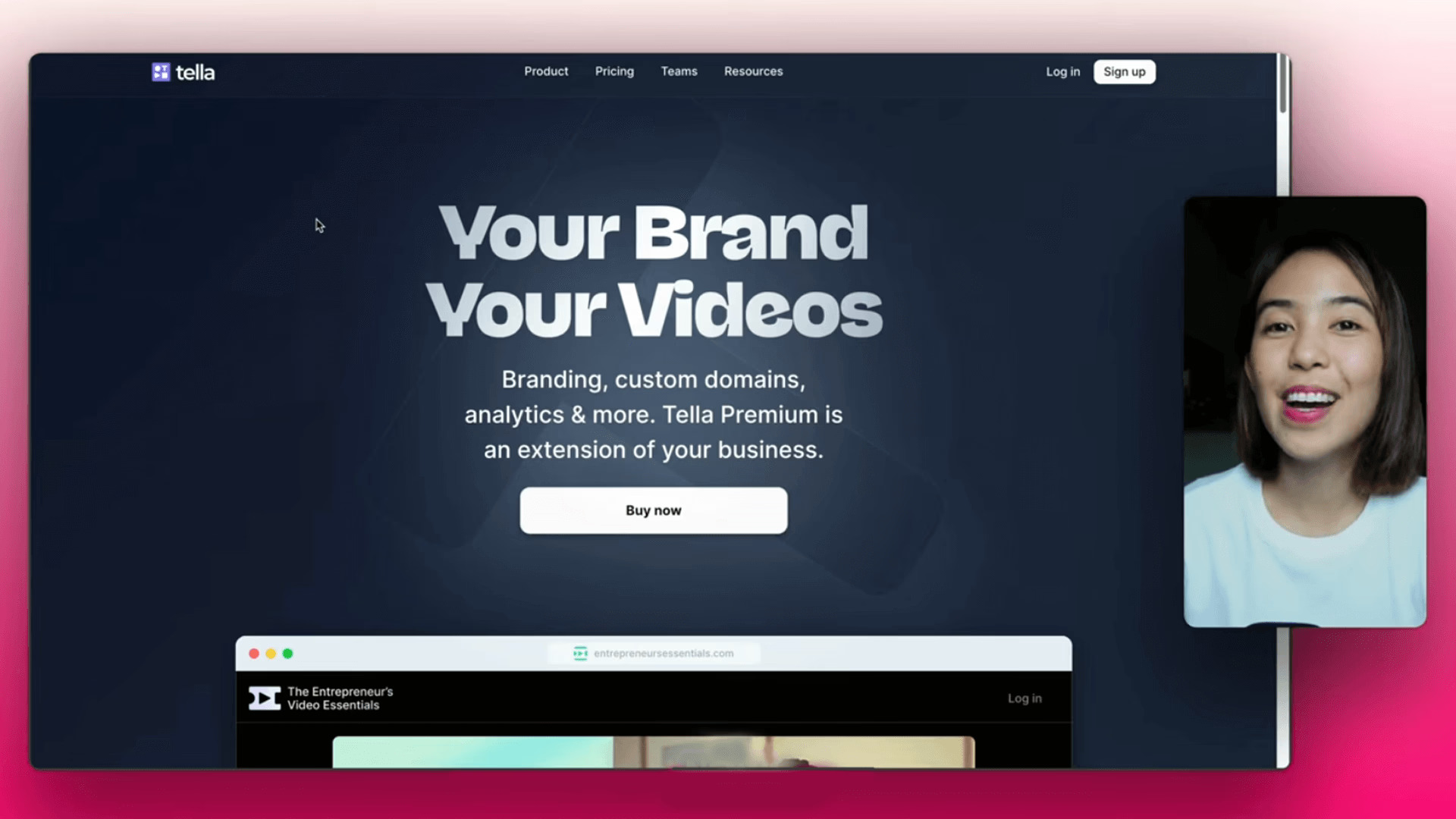
Tella lets you fully customize backgrounds and layouts — you can choose from a large library of built-in backgrounds or upload your own branded assets.
I built a custom TubeOperator-branded background. Every video I produce now looks on-brand without any extra work. Multiple users consistently report being asked by viewers what tool they use to record their videos — the difference in visual polish is that noticeable.
4K/60FPS Export
Tella supports 4K/60FPS exports for sharp, professional video output. On the Pro plan this is capped at 5-minute segments — but since Tella's workflow is clip-based anyway, this rarely becomes a practical limitation.
Instant Sharing + Video Hosting
Once you've recorded, Tella makes sharing simple — just grab the link and send it to anyone, no massive file attachments or complicated uploads. You can also host videos directly on Tella with viewer analytics if you're on the Premium plan.
The Big Picture: Tella Is the Only Tool That Does It All
Here's what most people miss when they evaluate Tella.
They compare it to Loom and think: "it's a screen recorder." They compare it to Camtasia and think: "it's a video editor." They compare it to Wistia and think: "it's a video host."
The reality is — it's all three. In one place. With AI built in.
Record → Edit → Publish & Share → Analyze. That's the complete content workflow, and Tella covers every single step without you ever switching tools.
I've built over 20 YouTube channels. I've tested more software than I care to count. And I can tell you with complete confidence: nothing on the market right now gives you this full workflow in a single, well-designed platform.
That's not marketing. That's just the truth.
Tella Pricing
Here's the breakdown as of 2026:
Free Plan — $0/month (Forever): Tella's free plan includes screen recording, webcam recording, AI editing tools, and instant sharing — completely free, forever. The only limitation is that videos expire after 14 days. Perfect for testing the workflow or occasional use.
Pro Plan — From $13/month (billed annually): Everything in Free, plus unlimited video storage, 4K export, team collaboration, and analytics tracking.
Premium Plan — From $19/month (billed annually): Everything in Pro, plus custom domain, white-label branding, domain restriction, 60 FPS export, and advanced analytics.
Enterprise — Custom pricing For larger teams needing SSO, SCIM, and dedicated onboarding.
My take on pricing: For what Tella replaces — a screen recorder plus a video editor plus a hosting platform — the price is genuinely reasonable.
For context, Loom's comparable plan runs $13/month billed annually, and that's before their AI add-on — so Tella Pro actually comes out cheaper while offering more creative flexibility.
Tella Pros and Cons
Let me be real with you here. No tool is perfect, and I'd rather give you the full picture than sell you something that doesn't fit your needs.
Tella Pros
Segment recording is a game-changer — re-record any clip without starting over
AI does the tedious editing for you — removes silences, filler words, and mistakes in one click
Edit by transcript — cut video like a Google Doc, no timeline scrubbing needed
Studio-quality audio in one click — background noise removal and level normalization built in
Beautiful output with almost no effort — professional layouts, backgrounds, and transitions from day one
Multi-layout flexibility — more layout options than any competitor I've tested, changeable per clip
Blur sensitive info — no re-recording when something private shows up on screen
Background music built in — no hunting for royalty-free tracks elsewhere
Teleprompter included — invisible to viewers, incredibly useful for on-camera segments
Web recorder — record directly from Chrome, no desktop app needed for quick videos
Instant upload — video is ready to edit or share the moment you stop recording
Handles external video uploads — upload Zoom recordings, course content, anything — and edit with the same AI tools
Multi-format export — landscape, portrait, square — one recording, every platform
Auto video chapters — copy-paste timestamps straight into YouTube, no manual scrubbing
Embeddable player with CTA buttons — built-in conversion tools on every video page
Video analytics — know who watched, how far they got, and when to follow up
Fast 4K export — a 1-hour file exports in around 2.5 minutes
Cross-platform — Mac, Windows, Linux, Chromebook
Strong customer support — responsive even on weekends
The bottom line on the pros: Tella is the only tool I know that covers the entire video workflow — Record → Edit → Publish → Analyze — without ever making you open a second app. That's not a small thing. That's the whole game.
Tella Cons
Free plan videos expire after 14 days — fine for quick team shares, but you'll need Pro for permanent hosting and unlimited storage
60 FPS capped at 5 minutes on Pro — Pro exports at 30 FPS for longer videos; unlimited 60 FPS requires the Premium plan. That said, 30 FPS is more than sufficient for tutorials, demos, and course content — you'd only notice the difference on fast-moving screen recordings.
No mobile app — Loom has one; Tella doesn't (yet)
Honestly? That's a pretty short cons list — and that's the point.
The reality is, for the vast majority of creators, educators, and online business owners, none of these will be dealbreakers.
The 14-day free plan limit pushes you toward Pro, which is where you want to be anyway.
The 30 FPS cap on Pro is genuinely fine for 99% of use cases. And if you're doing serious screen recording work, you're probably not doing it from your phone.
Tella's cons are minor inconveniences. Its pros fundamentally change how fast you can produce professional video content. That trade-off isn't even close.
Tella Alternatives
If for some reason Tella isn't the right fit, here's what else exists:
Loom — Best for pure internal team communication. Simpler, has a free plan and mobile app, but far fewer creative options. Tella wins clearly if you ever share videos externally or need content that represents your brand.
Screen Studio — Stunning cinematic zoom effects, Mac-only. Better for polished product demos; weaker for long-form content and layout flexibility.
Camtasia — Feature-rich traditional video editor. Powerful but expensive upfront cost and steep learning curve.
OBS Studio — Free and highly customizable, but complex setup and zero built-in editing. Not for beginners.
My Personal Experience Using Tella - How I Use Tella at Tube Operator
When I first started building YouTube channels, every tool I used forced me to choose: speed or quality. Record fast and get something rough. Or spend hours editing and get something polished.
Tella broke that trade-off entirely.
At Tube Operator, I use it across four different workflows.
First, YouTube tutorial content — walkthroughs, tool reviews, process videos. Second, quick team SOPs — someone needs to know how to do something, I open Chrome, hit record on the Web Recorder, 90 seconds later they have a link.
No desktop app, no export, no file transfer.
Third, course content — I record lessons directly in Tella, let AI clean up the silences and audio, and publish straight to my membership site.
And fourth — this one surprises people — I upload Zoom recordings from live training sessions into Tella, let it auto-remove the dead air and enhance the audio, and drop it into my course portal.
No Premiere. No Final Cut. Done in minutes.
In each case, the result is the same: what used to take me an afternoon now takes me under an hour.
The thing that surprised me most? The viewer reaction. I've had people ask what tool I use to record my videos — not because they noticed the software, but because the videos looked noticeably more professional than what they were used to seeing.
I've mentioned it to my students many times: you don't need to be a video editor to produce great video. You need the right tool. Tella is that tool.
Conclusion: Should You Use Tella?
Here's the bottom line.
If you create any kind of screen-based video content — tutorials, YouTube videos, product demos, SOPs, online courses — Tella will make your life dramatically easier and your output dramatically better.
It's not perfect. The occasional bug will frustrate you. Unlimited 60 FPS requires the Premium plan. And the free plan's 14-day video expiry means you'll eventually want to upgrade.
But the core value proposition is airtight: Tella is the only tool I know that covers your entire video workflow — Record → Edit → Publish → Analyze — without ever making you open a second app. That's not a feature. That's a fundamentally different way of working.
I've run 20+ YouTube channels. I've tested more tools than I can count. Tella is in my permanent stack — and that's not something I say lightly.
Ready to try it?
👉 Try Tella Free Today — Get 20% Off Your First 3 Months → (Start on the free plan, no credit card needed. When you're ready to upgrade, use my link to save 20% on your first 3 months. You won't look at another screen recorder the same way again.)
FAQ
Is Tella worth it?
Yes — especially if you produce content regularly. Tella has a genuine free plan you can use forever, so there's zero risk in getting started. When you upgrade to Pro, the AI editing features alone save multiple hours per week, making the subscription price pay for itself quickly. For creators, educators, and entrepreneurs building at scale, it's one of the highest-ROI tools in the stack.
How can Tella help with YouTube content creation?
Tella handles the full recording-to-publish workflow in one place. Record your screen and camera simultaneously, use AI to auto-remove silences and filler words, edit by transcript like a Google Doc, apply professional layouts and backgrounds, add auto-generated subtitles and chapters, and export in 4K — all without leaving the platform. The segment-based recording makes longer tutorials far less stressful to produce, and auto-generated video chapters mean your YouTube timestamps are ready to copy-paste in seconds.
Is Tella legit?
Absolutely. Tella has been used by teams at companies including Zapier, ChartHop, and Pleo, and holds a 4.8 rating on the Chrome Web Store with thousands of verified users. It's a real, actively developed product with responsive customer support and a strong track record.
Tella vs Loom — which is better?
Tella is the stronger choice if you create content or share videos externally. Loom is better if you exclusively record for quick internal communication and need a mobile app. For mixed use — internal videos plus external content, tutorials, YouTube, or anything brand-facing — Tella wins on every dimension: more editing tools, better output quality, built-in analytics, embeddable player, and a free plan that's genuinely usable.
Does Tella work on Windows?
Yes. Tella offers both a native macOS app and a web-based recorder that works across macOS, Windows, Linux, and Chromebooks — making it significantly more flexible than Mac-only alternatives like Screen Studio.
Can I use Tella without recording in it?
Yes — and this is underrated. You can upload any external video (Zoom recordings, iPhone clips, raw footage) directly into Tella and edit it with the same AI tools. Auto-remove silences, enhance audio, apply layouts and branding, then publish or embed. No traditional video editor needed.